Minecraft: Dream it, Build it!
MojangArcade
4.3634.59K Reviews
- Version
- 1.26.45.1
- Installs
- 50.00M
- Age Rating
- Everyone 10+
Screenshots
Our Review of Minecraft: Dream it, Build it!
 Analysis by Appyee
I judge Minecraft less by the size of its worlds than by what a simple pile of blocks lets me do. A short play session can turn into a practical task—finding enough wood to make a shelter—or a creative one, like sketching the shape of a house before I build it. That shift between making things and solving immediate problems is the game’s defining strength. Minecraft: Dream it, Build it! is an arcade game from Mojang, and its appeal comes from giving players room to set their own goals rather than funneling them through a fixed sequence of levels.
One world, two ways to approach it
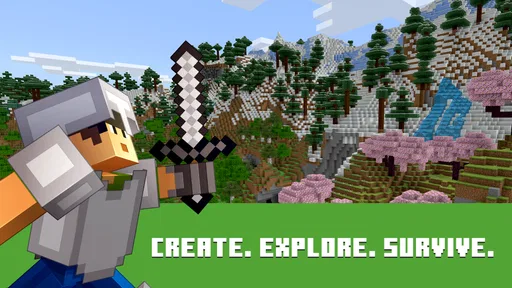
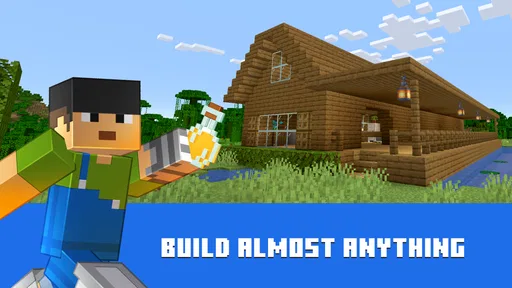
The key capability is the freedom to reshape a block-based world. I can collect materials, change the landscape and make a structure that serves a purpose or simply looks the way I want. That sounds straightforward, but it has a useful effect: a building project can be as small as a doorway or as ambitious as a sprawling base, and I decide when it is finished.
That flexibility also changes how I think about progress. In many arcade games, improvement means getting farther or reacting faster. Here, a successful session might mean I have enough materials for a tool, found a spot that suits a future home, or made one awkward corner of a build look right. There is no single score that captures those different kinds of achievement.
Small decisions make building easier
I get the most from the game when I give a session a modest target. Rather than setting out to create an enormous fortress, I might decide to find a useful place to build and put up a basic shelter first. That keeps the early work manageable and gives me somewhere to continue from later. When I do have a bigger idea, I break it into parts: outline the footprint, choose a shape, then add details once the main structure works.
One practical habit is to keep track of what a project actually needs before wandering off to gather materials. It is easy to collect whatever catches my eye and then realize I am short of the blocks I wanted for the build. A quick mental checklist makes a session feel more purposeful, especially when I only have a little time to play. I also find it useful to make a small test section before committing to a large design; changing a few blocks is much less frustrating than discovering late that a whole wall feels wrong.
For a realistic everyday session, imagine opening the game after dinner with twenty minutes free. I would choose one small job—gathering enough resources for a room, adjusting a path, or making a safer place to return to—rather than expecting to complete an entire world-spanning plan. If I have more time the next day, I can pick up where I left off. That makes the open-ended format easy to revisit, though it does ask me to bring my own goal instead of waiting for the game to assign one.
Good for making, less suited to being guided
This approach is especially appealing if you like inventing projects, tinkering with designs or sharing a creative activity with someone else. The game can also suit players who enjoy a mix of calm construction and moments that make preparation matter. I would be more cautious about recommending it to someone who wants a tightly directed campaign, clear objectives at every turn or quick rounds with a defined finish. The freedom that makes it absorbing can also leave a new player wondering what to do next.
Compared with more conventional arcade games, Minecraft is slower and more self-directed. It is not mainly about chasing a high score or repeating a short challenge until a reaction becomes automatic. Compared with other building-focused games, its appeal is that gathering and shaping the world can be part of the same loop rather than separate activities. That is rewarding when I want a project to emerge from play, but a dedicated builder that lets me start with finished materials may be a better fit if I only want to design without resource gathering or survival pressure.
Where the freedom asks for patience
The trade-off is that an open-ended game can make its own friction. Collecting materials takes time, and a large build can feel like repetitive work if I have not planned what I want from it. Mobile controls also mean precision takes some getting used to: a small correction can matter when I am placing blocks carefully, so I prefer to slow down rather than rush through detailed work. Players looking for a compact experience with a clear ending may find that the most satisfying goals are ones they create for themselves.
The game has an average rating of 4.3 from around 5.6 million ratings, and it has been installed over 50 million times. Those numbers suggest a broad audience, but they do not mean it will suit every play style. I would think about the purchase in terms of how often I enjoy returning to an ongoing creative project, not just whether I want a quick distraction today. It costs $6.99, with optional in-app purchases ranging from $0.99 to $49.99 per item, so anyone considering extra marketplace content should keep that separate from the base price.
Age guidance is Everyone 10+, and the current version is 1.21.132.1, with Android 8.0 as the minimum operating system. Those details are useful when checking whether a device and household are a fit. For a player who mainly wants a structured, short arcade challenge, I would choose something more focused; for someone who likes building gradually and deciding what counts as success, this is a much stronger match.
Ah, Minecraft: Dream it, Build it!—the app that has taken up more of my time than I'd care to admit. If you've ever found yourself dreaming about creating your own virtual universe brick by pixelated brick, this app is your golden ticket. But before you dive headfirst into this blocky wonderland, let me walk you through everything you need to know.
Getting Started with Your Blocky Adventure
So, here's the deal. You fire up Minecraft: Dream it, Build it! and immediately you’re hit with limitless possibilities. The game drops you in a vast, randomly generated world made entirely of blocks, where you can mine resources, build structures, and, well, dream your heart out. The first time I opened the app, I was like a kid in a candy store, not knowing where to start.
The controls are intuitive, especially if you’re familiar with sandbox games. Swipe and tap to navigate your surroundings, and with a few finger flicks, you’re chopping down trees or digging up dirt. Simple, right? Yet, there's an underlying complexity that keeps you coming back for more.
Crafting and Building: Your Creative Playground
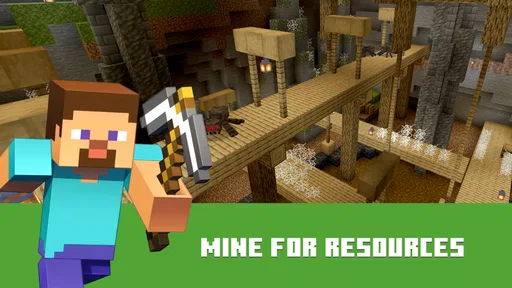
If you’re someone who gets giddy at the thought of crafting, then get ready to lose yourself in this game’s intricate crafting system. You start with basic materials like wood and stone, and before you know it, you’re crafting tools, weapons, and even complex machinery. I mean, who knew virtual mining could be so satisfying?
Building is where the app truly shines. Whether you’re constructing a simple home or a sprawling castle, the only limit is your imagination. I spent hours just experimenting with different architectural styles, and the sense of accomplishment when your vision comes to life is unparalleled.
Survival Mode: A Thrilling Challenge
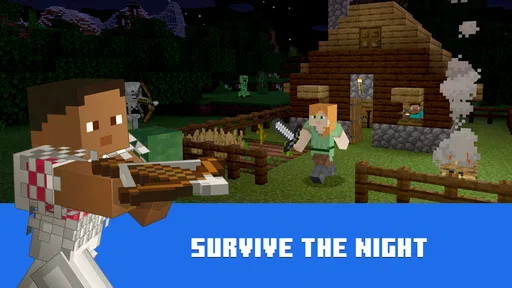
Now, if you’re like me and enjoy a bit of a challenge, the Survival Mode will be right up your alley. Here, you have to gather resources, manage your health, and fend off various creatures that lurk in the night. The first time a Creeper snuck up on me, I nearly dropped my phone.
Survival Mode adds an extra layer of excitement and urgency. You’re not just building for the sake of building; you’re creating a safe haven against the elements and creatures. It’s thrilling, a little nerve-wracking, and insanely addictive.
Social Features: Share Your Creations
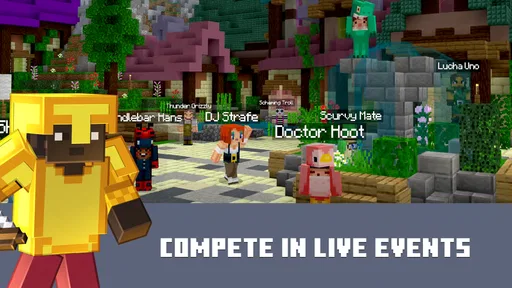
One of the coolest aspects of the app is its social features. You can connect with friends, share your creations, and even collaborate on projects. Trust me, there’s nothing like exploring a world that you and a buddy built together. It’s not just a game; it’s a shared experience.
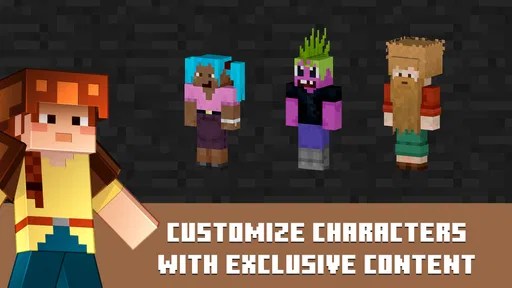
There’s also an online marketplace where you can download skins, textures, and worlds created by other players. It’s a great way to keep the game fresh and exciting, and to see the amazing things others have built.
Performance and Graphics: Smooth and Engaging
Let’s talk graphics. The blocky aesthetic of the game is iconic and adds a certain charm that you won’t find elsewhere. The app runs smoothly on both Android and iOS, with minimal lag even when the screen is filled with elaborate structures. I’ve played on both my phone and tablet, and the experience is consistently engaging.
The sound design is another highlight. From the calming background music to the satisfying crunch of breaking blocks, the audio immerses you in the game world. It’s like ASMR for gamers.
Conclusion: A Must-Have for Creative Souls
So, should you download Minecraft: Dream it, Build it!? If you have even the slightest creative itch, absolutely. The app is a wonderful blend of creativity, challenge, and social interaction. Whether you’re building solo or exploring worlds with friends, the game offers endless entertainment.
At the end of the day, Minecraft: Dream it, Build it! is more than just a game; it's a digital canvas for your imagination. And trust me, once you start, you’ll find it hard to put down. Happy building!
Verdict
Strengths of Minecraft: Dream it, Build it!
- Endless creative possibilities.
- Multiplayer mode enhances fun.
- Frequent updates with new content.
- Child-friendly and educational.
- Cross-platform play available.
Limitations of Minecraft: Dream it, Build it!
- Can be resource-intensive.
- In-app purchases may be costly.
- Requires constant updates.
- Online play can be unsafe.
- May be addictive for some users.
Other Releases by Mojang
View All
Minecraft Education
Education4.1

Minecraft Education Preview
Education3.7
Similar Picks in This Category
View All
Subway Surfers
SYBO Games4.6

Stickman Party 234 MiniGames
PlayMax Game Studio4.6

Subway Princess Runner
Ivy4.4

Temple Run
Imangi Studios4.2

Zombie Tsunami
Mobigame SAS4.6

Stack Ball - Crash Platforms
CASUAL AZUR GAMES4.5
Frequently Asked Questions
What is Minecraft: Dream it, Build it! and how does it differ from the original Minecraft?
Minecraft: Dream it, Build it! is a creative-focused version of the original Minecraft game, designed to emphasize building and creativity. While it retains the core mechanics of the original, it introduces enhanced tools and features specifically for building intricate structures and worlds. This version is ideal for players who enjoy the construction aspect of Minecraft without survival elements.
Is Minecraft: Dream it, Build it! available for both Android and iOS devices?
Yes, Minecraft: Dream it, Build it! is available for download on both Android and iOS platforms. You can find it on the Google Play Store for Android devices and the Apple App Store for iOS devices. Make sure your device meets the minimum system requirements to ensure optimal performance.
Are there any in-app purchases or subscriptions in Minecraft: Dream it, Build it!?
Minecraft: Dream it, Build it! offers in-app purchases that provide additional content such as exclusive building packs, textures, and tools to enhance your creative experience. While the basic version of the game is fully playable, purchasing these extras can enrich your building options and customization features.
Does Minecraft: Dream it, Build it! support multiplayer mode?
Yes, Minecraft: Dream it, Build it! supports multiplayer mode, allowing you to collaborate with friends or other players online to construct your dream worlds. You can join existing servers or create your own, fostering a community of like-minded builders and sharing your creations with others.
What are the minimum device requirements for Minecraft: Dream it, Build it!?
To run Minecraft: Dream it, Build it! smoothly, your device should have a minimum of 2GB RAM and a quad-core processor. It is also recommended to have at least 500MB of free storage space for installation and additional content. Ensure your operating system is up-to-date for the best user experience.
Play our best games!


